Focus
Focus is the place for today's work.
Choose an intention, start a session, and keep a plain record of time spent with the project.
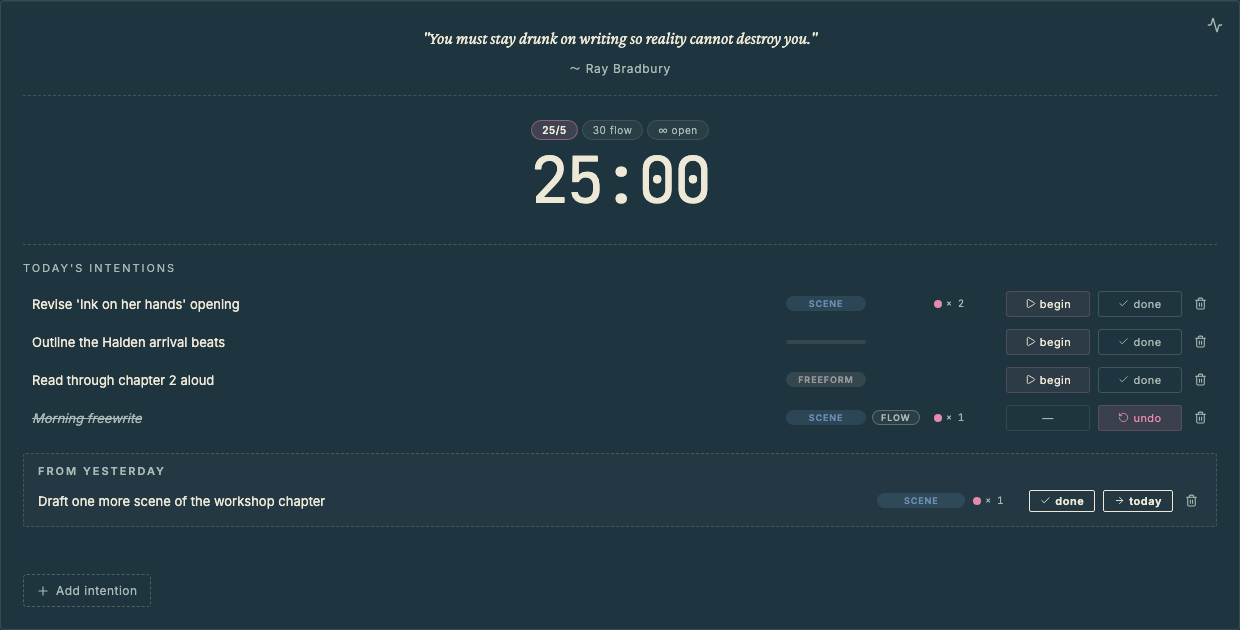
Choose a Session Mode
The mode picker sits above the timer.
- 25/5 runs a classic 25-minute work session followed by a five-minute break.
- 30 flow runs 30-minute sessions without forcing a break.
- ∞ open records work in quiet 30-minute blocks without notifications.
Choose the mode that fits the way you want to work today. Project setup only sets the starting default.
Add an Intention
Intentions are the things you plan to work on today.
An intention can be a scene, a compendium entry, a project document, outlining work, or a freeform task. Add one directly from Focus, or send work to Focus from another panel.
Begin, Pause, or Continue
Start the session from the intention row.
If you pause, Vespers keeps the same session open. If you continue later, or even reopen Vespers, the record stays attached to the same intention.
Ending a session early keeps the partial record.
Review Focus Insights
Open Focus Insights from the Focus panel to review session patterns.
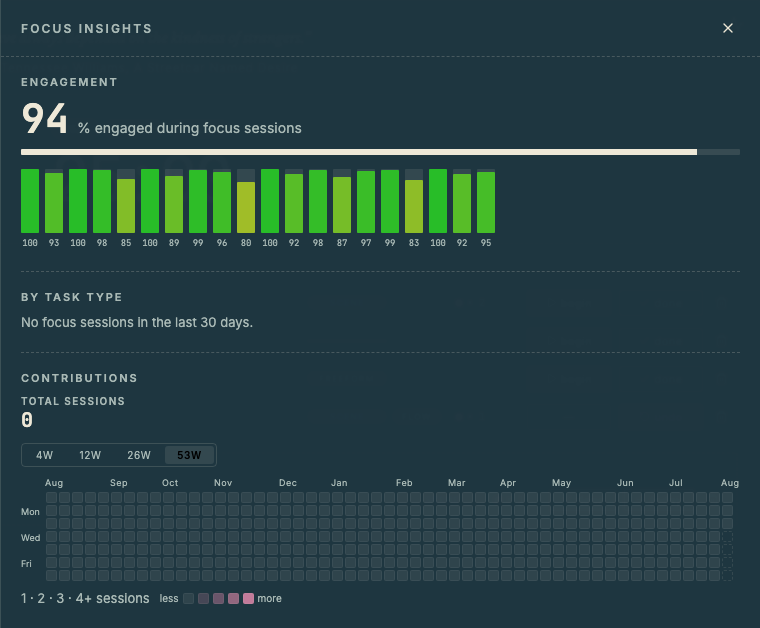
Focus Insights shows engagement, sessions by task type, and a contribution graph for focus sessions.
Move Work Forward
Older unfinished intentions can be carried forward to the next day, or you can close them out.
You can also delete tasks that turn out to be unnecessary. Vespers removes completed tasks for you.
You can see a history of completed tasks on Dashboard → Activity.